

Shared calendars
Keep a shared family calendar and see your connected Apple or Google calendars alongside it.

 Nidly: Family Organizer
Manage your household’s shared calendar, tasks, meals, recipes, and grocery lists in one app.
For iPhone & iPad. 7-day free trial for eligible subscribers. Android is on the way.
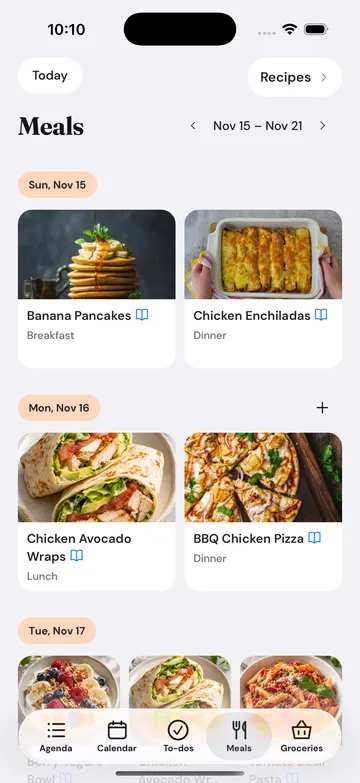
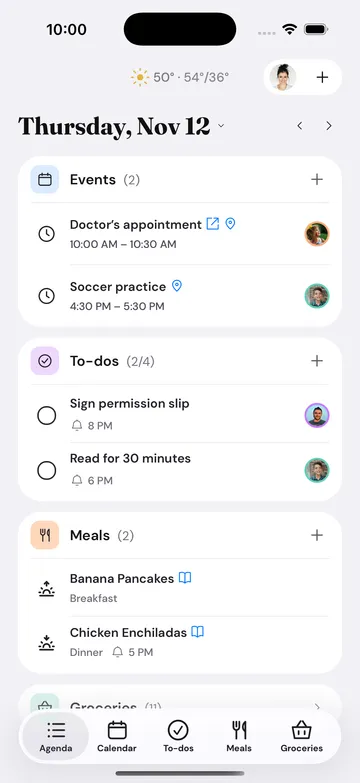
Screenshots
Select a screenshot to open the full-size preview.
Keep a shared family calendar and see your connected Apple or Google calendars alongside it.
Assign tasks to family members, set reminders, and track completion. Family members can earn stars and redeem rewards.
Save recipes, plan meals, and add their ingredients to your shared grocery list.
Before you download
Yes. Nidly Plus offers monthly and yearly subscriptions. Eligible subscribers can start with a 7-day free trial where offered by their store. After the trial, the selected plan renews at the price shown before purchase unless canceled. One subscription covers your household.
Yes. Create a household and invite another member using your household’s join code. Members of the same household can access its shared calendar, tasks, meals, recipes, and grocery lists.
Nidly is currently available for iPhone and iPad. The Android version is coming soon. We’ll add the Google Play download link here when it’s available.
You can connect Apple Calendar on iOS and Google Calendar. Access is optional and read-only. Your external calendar events are visible to you, alongside your shared Nidly calendar; they are not shared with your household.
Manage or cancel a subscription through the store where you bought it. Account deletion is separate and does not cancel your subscription. Visit Nidly Support for subscription help, or request account deletion.
Get help with Nidly, read the privacy policy, or request account deletion.

